Promote Your Products with AI
Add what you sell to Brand Brain. Your AI agents will reference real product details in every post, run market research on your competition, and create promotional content that actually knows what it's promoting.
Add a product
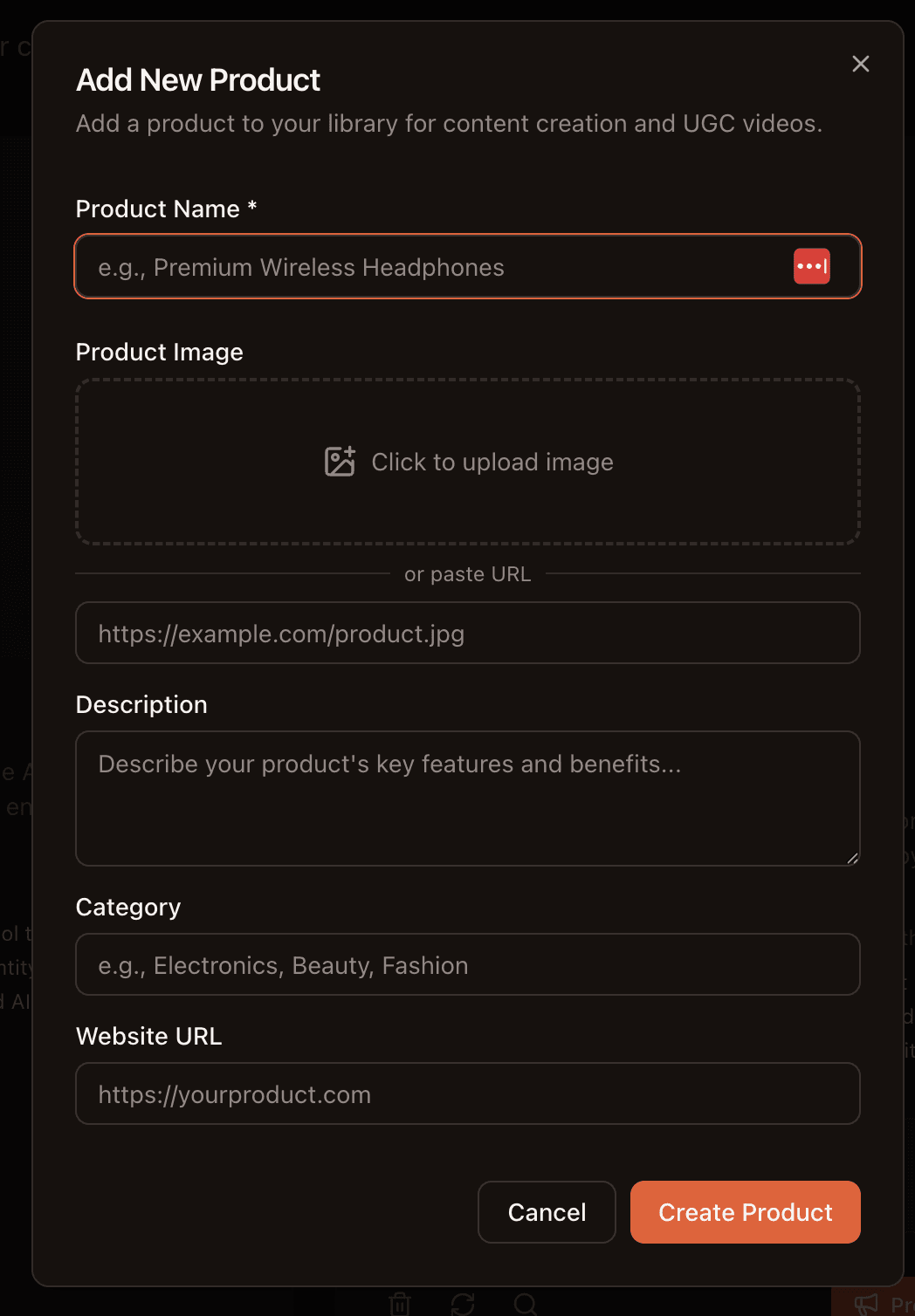
Open Products in the sidebar and click Add Product. Fill in the details:
Product Name
The name your customers know it by
Description
Key features, benefits, and who it's for. The more detail, the better your AI content.
Website URL
Your product page. Used for market research and auto-importing details.
Category & Image
Organize products by category. Upload an image or paste an image URL.
Tip: Write your description like you would explain the product to a colleague. Include specific features, pricing, target audience, and what makes it different. This becomes the AI's product knowledge.
View your product catalog
Each product gets a card showing its name, description, an auto-generated brief, and action buttons. Brand Brain automatically creates a one-liner brief summarizing your product for quick reference.
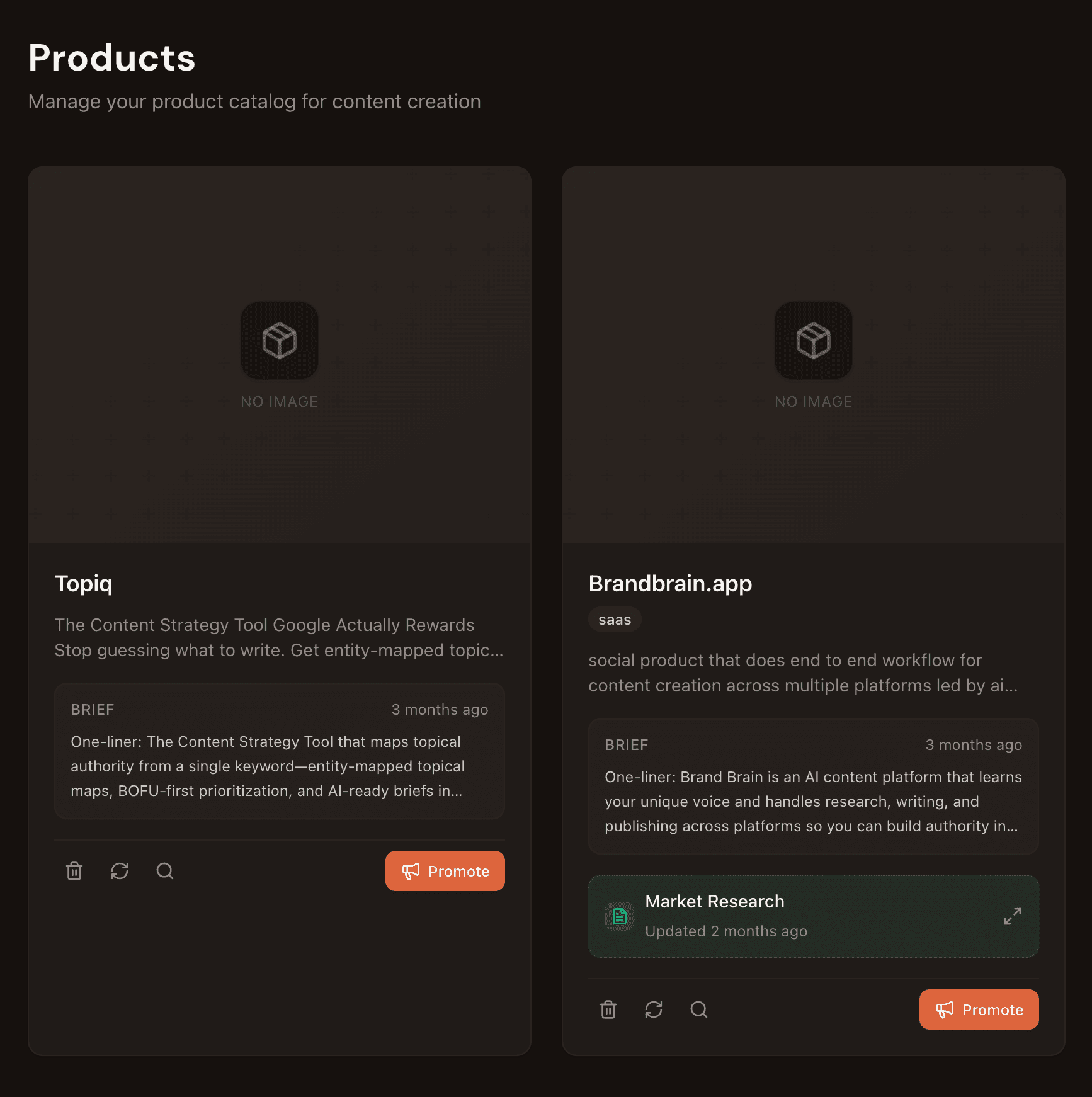
Each card has quick actions at the bottom: delete, refresh the brief, search for similar products, and a Promote button that opens Agent Chat with your product context already loaded.
Run Market Research on your product
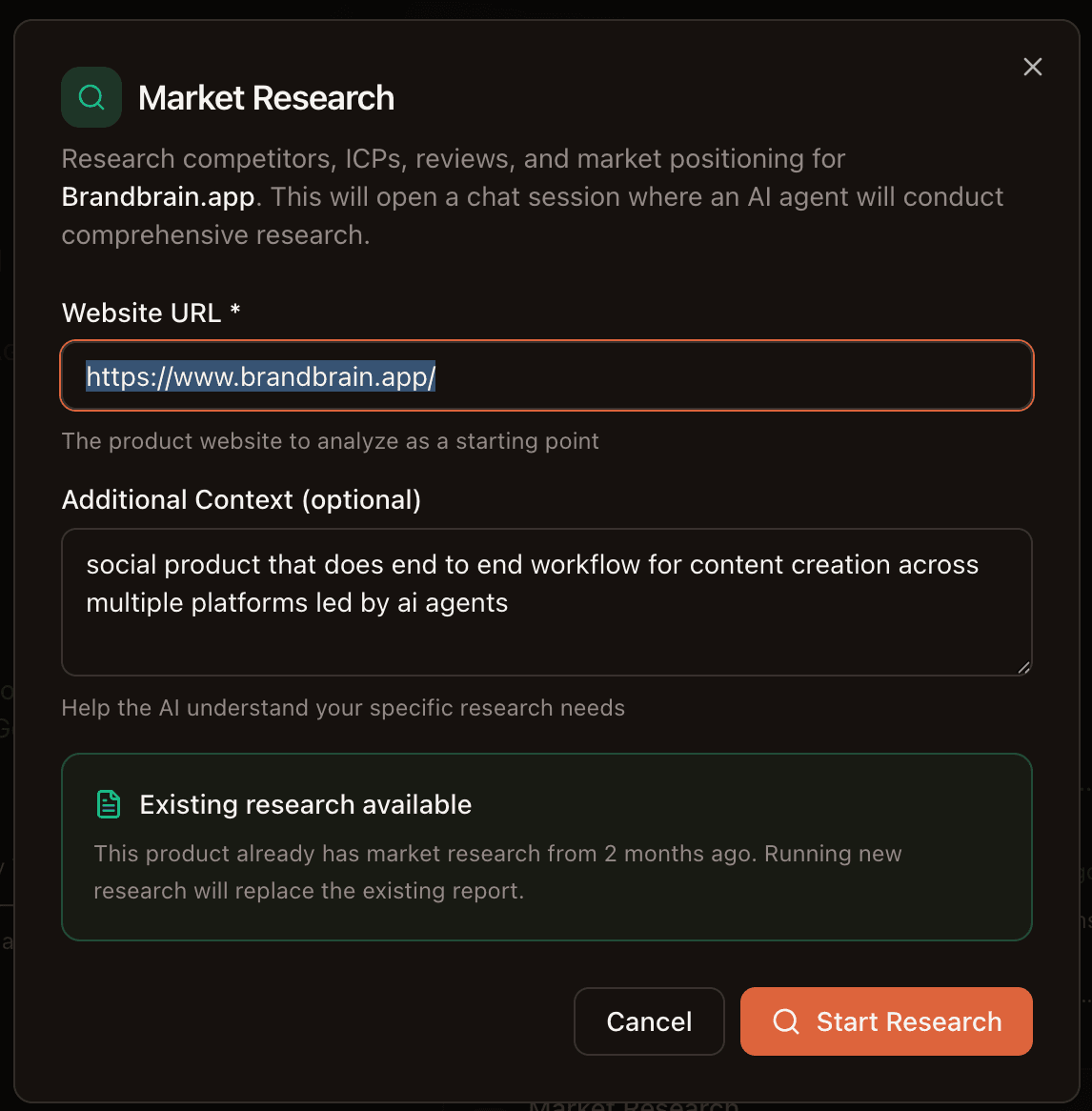
Click Market Research on any product card. Enter your website URL and optionally add context about your specific research needs. An AI agent will analyze your product and produce a full competitive report.
Use research to create better content
The research report gives your AI agents deep context about your market. It covers:
- Competitive Landscape — direct and indirect competitors, their strengths and weaknesses
- Positioning Analysis — how your product differentiates and where the gaps are
- Ideal Customer Profiles — who your target customers are, their problems, and goals
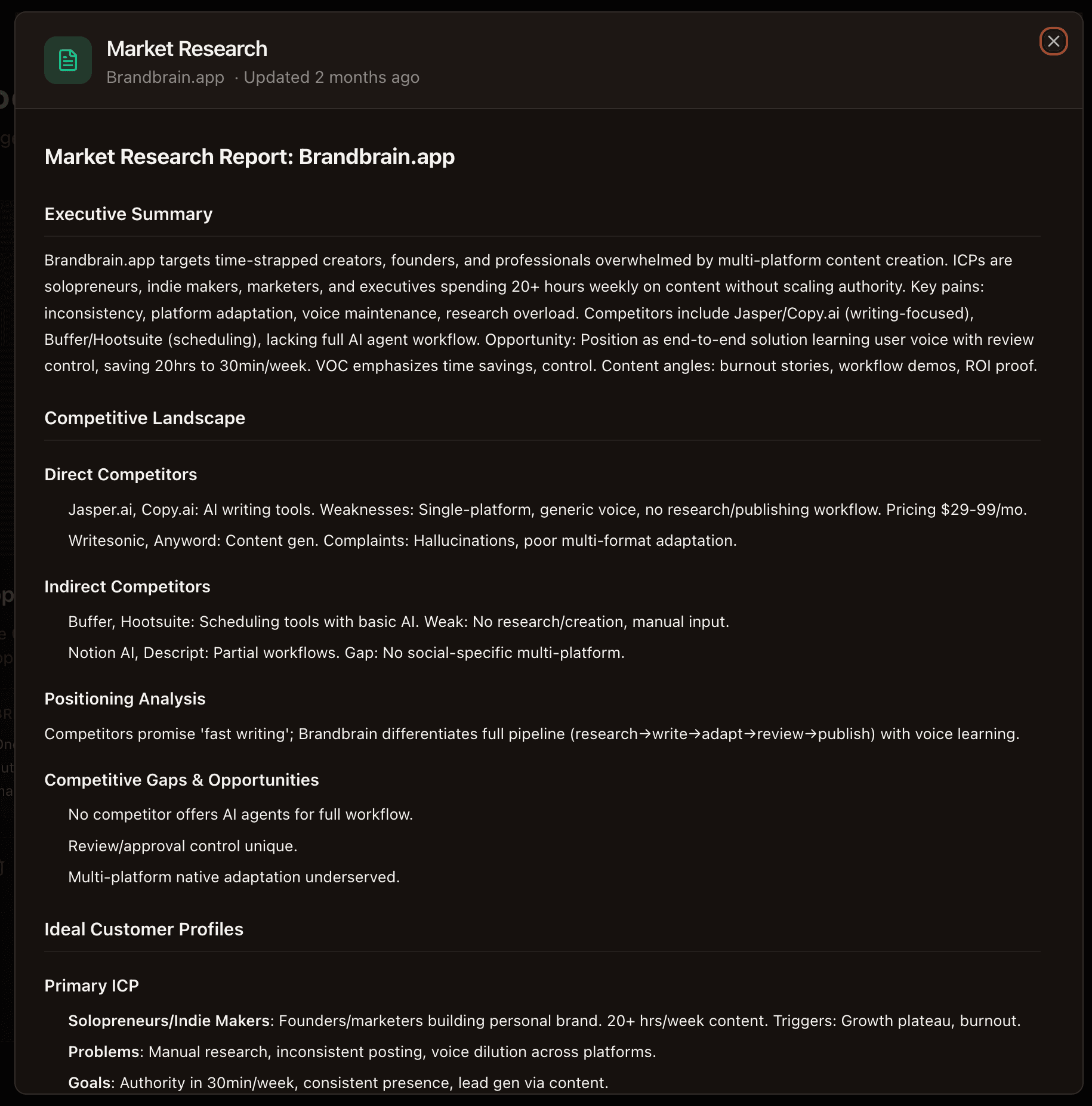
This research is saved to your product card and used automatically when agents create content. Your promotional posts will reference real competitive advantages instead of generic claims.
Create promotional content
Click the Promote button on any product card. This opens Agent Chat with your product details and market research pre-loaded. The agent already knows:
- What your product does and who it's for
- How you compare to competitors
- Your positioning and unique selling points
- Your ideal customer's pain points and goals
Just tell the agent what kind of content you want: “Create a LinkedIn post comparing us to competitors” or “Write an Instagram carousel about our top 5 features.” The agent handles the rest using your product knowledge and research.
Tip: Run Market Research before promoting. The more context the agent has about your competitive landscape, the more specific and compelling your promotional content will be.